Showcase

"I’ve always believed that the best training doesn't just deliver information—it solves a problem for the person on the other side of the screen. My background in customer service is what drives my design process; it helps me see exactly where learners might get stuck and how to make things clearer for them.

In this showcase, you’ll find the projects where I’ve put that into practice. Whether I’m building interactive walkthroughs in Articulate 360, Snagit Pro and Canva or creating video tutorials with Create Studio4 and Camtasia. My goal is always the same: to use the right technical tools to create something that’s easy to use and actually works. Take a look at the videos and slide decks below to see how I turn complex software tasks into straightforward, engaging learning."

On Boarding Project: New Hire Integration

This project focused on making day one feel less overwhelming and more welcoming. I created a simple, step-by-step onboarding guide to help new associates complete essential tasks like payroll and benefits enrollment without confusion. The experience helped new hires feel prepared, supported, and ready to get started.

Challenge

New associates often feel overwhelmed on their first day, particularly when navigating administrative requirements such as payroll setup, benefits enrollment, and locating support resources. This early confusion can reduce confidence and delay productivity.

Strategy

I designed a short, guided onboarding experience that walked new hires step by step through essential first-day tasks.

  • Structured content in a clear, sequential format to reduce cognitive overload
  • Focused on high-priority actions (payroll setup, 401(k) enrollment, accessing internal resources)
  • Used plain language and a welcoming tone to build confidence and psychological safety
  • Designed for digital delivery to ensure consistency and scalability


The experience balanced clarity with approachability to support both compliance and engagement.

Deliverables

  • A concise, step-by-step onboarding module
  • Clear guidance on payroll and benefits enrollment processes
  • Direct pathways to key internal support resources
  • Digitally deployable training for a consistent first-day experience


This project demonstrates my ability to design learner-centered onboarding that improves both employee experience and operational efficiency.

  1. Slide 1
  2. Slide 2
  3. Slide 3
  4. Slide 4
  5. Slide 5
  6. Slide 6
  7. Slide 7
  8. Slide 8

On Boarding Project: New Hire Integration

To address how overwhelmed new associates often feel on their first day, I designed a short, guided onboarding experience that walks employees step by step through essential tasks like payroll setup, 401(k) enrollment, and accessing support resources. The training combined clear instructions with a welcoming tone to reduce confusion, build confidence, and help new hires feel prepared from the start, using Google Slides for structure, Creator Studio 4 for visual enhancements, and Snagit and Camtasia to create interactive video elements.

Project: Learning and Development

This project shows how I help people move from understanding big ideas to actually using them in real situations. I broke down complex topics like AI governance and data privacy into practical lessons that build confidence and real-world judgment. The end result was digital training that helps learners think clearly, ask better questions, and make thoughtful decisions.

Challenge

Learners often understand AI governance and privacy at a theoretical level but struggle to apply concepts in real-world, high-stakes scenarios. The objective was to design instruction that translated complex, abstract frameworks into practical decision-making skills.

Strategy

I developed a scaffolded, digitally deliverable learning experience that moved learners from core concepts to applied analysis.

  • Broke complex topics into focused, digestible modules
  • Embedded low-stakes knowledge checks to confirm mastery before progression
  • Designed a realistic case study requiring learners to evaluate trade-offs, assess ethical risk, and make defensible recommendations


The approach emphasized systems thinking, ethical reasoning, and real-world application.

Deliverables

  • Interactive, SCORM-ready microlearning modules
  • Embedded formative assessments aligned to learning objectives
  • A case-based application exercise centered on AI governance and privacy challenges
  • Structured decision-making framework for applied analysis


Results

  • Improved learner ability to apply governance and privacy frameworks in realistic scenarios
  • Increased confidence in navigating ethical ambiguity
  • Strengthened critical thinking and structured decision-making skills
  • Shifted learning from conceptual understanding to applied competence


This project demonstrates my ability to design instruction that is practical, measurable, and aligned with real-world professional demands.

  1. Slide 1
  2. Slide 2
  3. Slide 3
  4. Slide 4
  5. Slide 5
  6. Slide 6
  7. Slide 7
  8. Slide 8
  9. Slide 9
  10. Slide 10

Project: Learning and Development

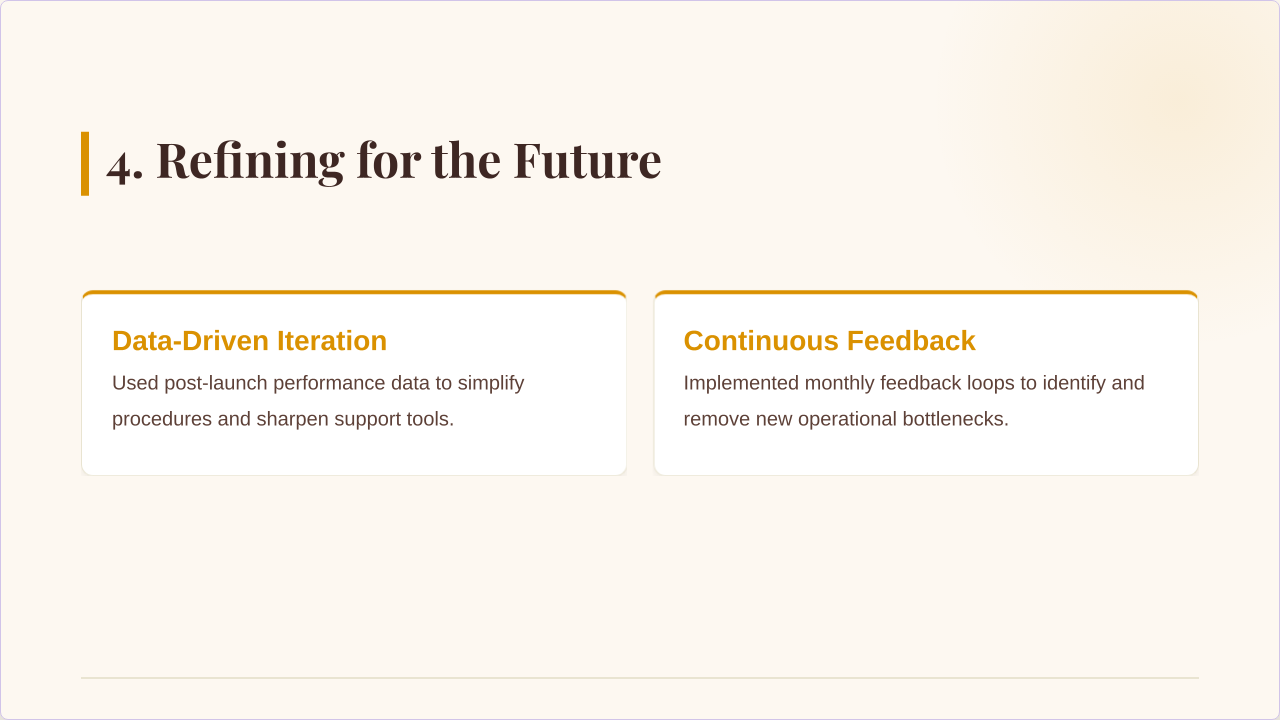
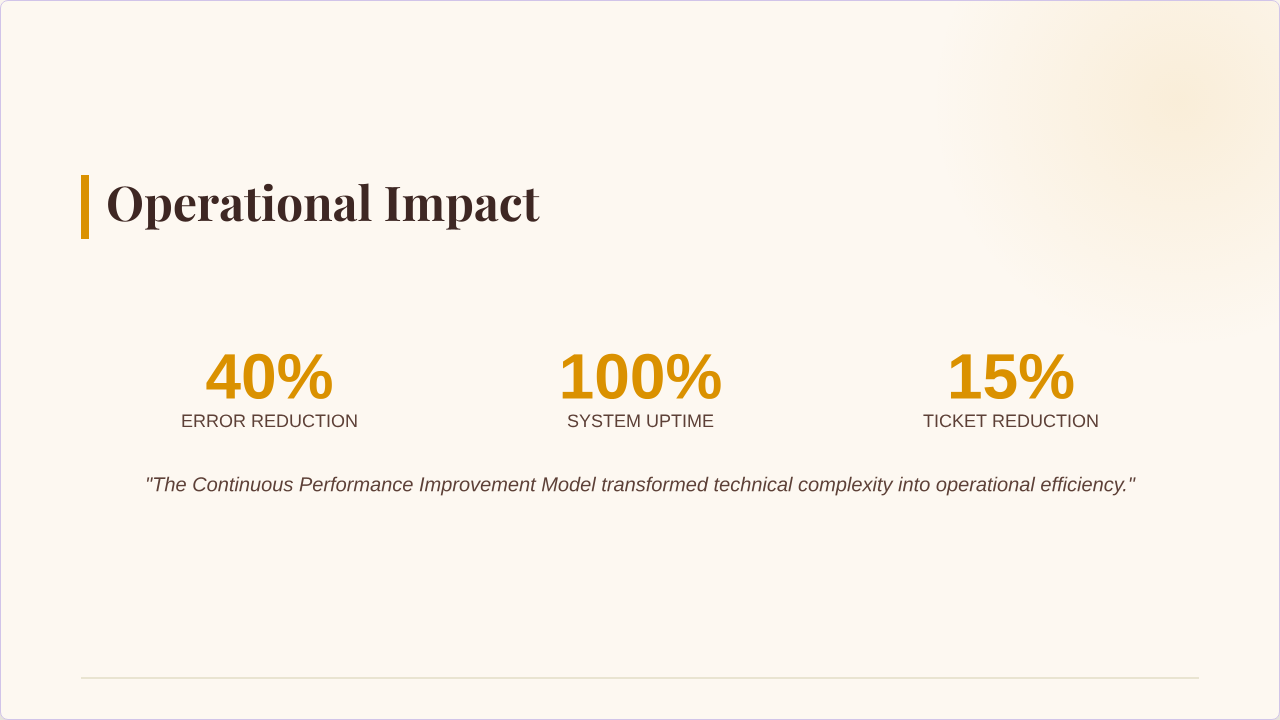
I transformed a dense, lecture-heavy regulatory update from senior experts into a clear, interactive learning experience by focusing on must-know skills, coaching specialists to teach more effectively, and integrating live engagement tools. The result was a 40% increase in participation, greater learner confidence in applying the new rules, completion three weeks ahead of schedule, and a new training format that became the organization’s standard moving forward.

Project: Course Module

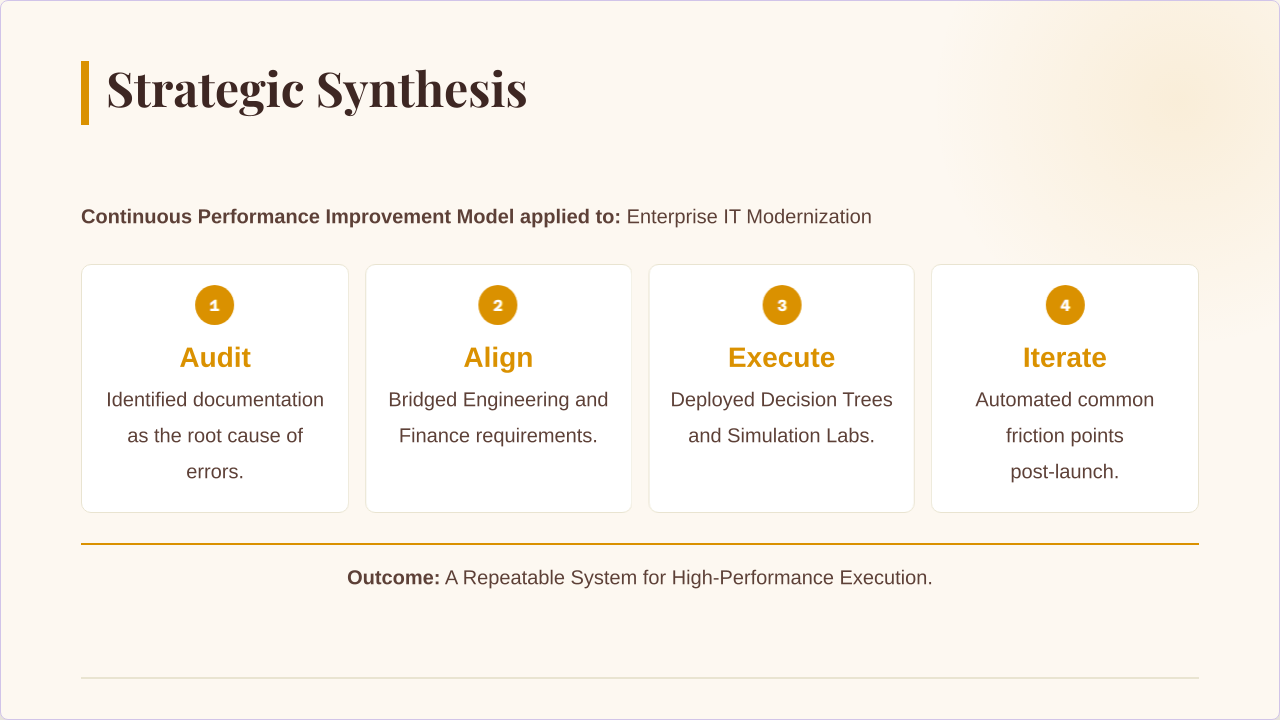
This project turned a traditional, lecture-heavy regulatory update into a more engaging and useful learning experience. By helping senior experts focus on practical skills, breaking content into manageable pieces, and adding interactive elements, we made it easier for learners to absorb and apply key information. The new approach boosted participation, sped up delivery, and became the go-to model for future training.

Challenge

Senior experts needed to deliver critical regulatory updates, but the existing lecture-heavy format was overwhelming. Engagement was low, and feedback showed that the most important information wasn't being retained or applied on the job.

Strategy

  • Expert Coaching: Worked with subject matter experts to shift their focus from "covering data" to teaching actionable skills.
  • Interactive Design: Broke dense information into manageable pieces and introduced live polling to track learner understanding in real-time.
  • Technical Coordination: Managed the end-to-end production of live webcasts and ensured all handouts were polished and ready for immediate use.


Deliverables

  • Focused Lessons: Short, interactive digital modules designed for easy access and high engagement.
  • Practical Case Study: Developed a scenario-based exercise involving privacy and technology challenges, requiring learners to solve real-world problems.
  • Frequent Knowledge Checks: Integrated brief assessments to confirm mastery before moving on to more complex topics.


Results

  • 40% Increase in learner participation and engagement scores.
  • Efficiency: Completed the project 3 weeks faster than previous years by following a strict, milestone-driven schedule.
  • Company-Wide Impact: The organization adopted this format as the official blueprint for all future specialized training.
  1. Slide 1
  2. Slide 2
  3. Slide 3
  4. Slide 4
  5. Slide 5
  6. Slide 6
  7. Slide 7

Project: Course Module

This project demonstrates my ability to design course-ready instruction that builds from conceptual clarity to real-world application through scaffolded, interactive, case-based learning focused on AI governance and privacy. The result was an engaging, assessment-driven experience that strengthened students’ ethical decision-making and their ability to apply theory in complex professional contexts.

Project: Customer Escalation & Resolution

This project highlights how I handle sensitive situations in a way that protects both the organization and the customer experience. Instead of just solving the immediate problem, I looked at what caused it and worked across teams to prevent it from happening again. By approaching concerns with clarity and empathy, I helped turn difficult moments into opportunities for improvement.

Challenge

High-stakes customer friction presents more than a service issue—it creates potential regulatory exposure, operational breakdowns, and reputational risk. The objective was not only to resolve the immediate concern but to protect the organization from compliance, financial, and brand impact.

Strategy

I applied a holistic resolution framework focused on risk mitigation, operational improvement, and trust restoration.

  • Identified potential regulatory exposure early to prevent escalation
  • Ensured documentation met audit- and litigation-ready standards
  • Diagnosed systemic breakdowns (e.g., handoff gaps) rather than treating surface-level symptoms
  • Bridged communication between front-line teams, compliance/legal, and executive leadership
  • Used empathetic communication strategically to de-escalate tension and rebuild trust
  • Advocated for accessibility and inclusion to protect long-term brand equity


The approach balanced compliance rigor with high-touch customer care.

Deliverables

  • Comprehensive, audit-ready case documentation
  • Root-cause analysis identifying systemic operational gaps
  • Cross-functional alignment between operations, legal/compliance, and leadershipResolution plan that addressed both immediate concern and process improvement


Results

  • Reduced regulatory and legal exposure through proactive intervention
  • Prevented repeat operational failures by addressing systemic causes Preserved brand trust in a high-risk customer interaction
  • Strengthened cross-functional collaboration and accountability
  • Converted customer friction into actionable business intelligence


I transform high-risk complaints into structured insights that improve

  1. Slide 1
  2. Slide 2
  3. Slide 3
  4. Slide 4
  5. Slide 5
  6. Slide 6
  7. Slide 7
  8. Slide 8

Project: Customer Escalation & Resolution

This project highlights my ability to lead complex customer escalations with a focus on accessibility, empathy, and risk awareness, managing the investigation end to end while coordinating with operations, compliance, and leadership. The result was a responsible, well documented resolution that preserved customer trust and drove meaningful process improvements to prevent future issues.

Project: Get to know Google Slides Articulate 360

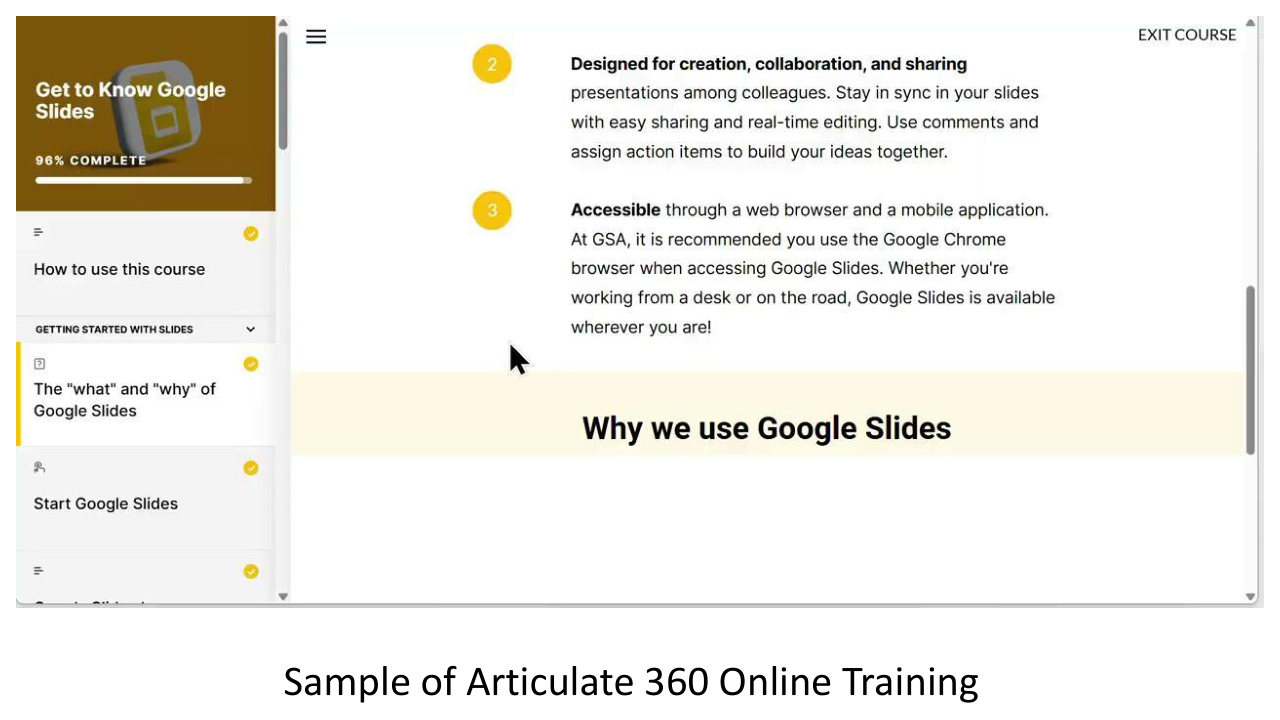
This project focused on expanding training access beyond traditional live sessions. I designed a scalable eLearning library to give employees flexible, on-demand access to essential knowledge. The result was a sustainable training solution that improves retention while supporting organizational growth.

Challenge

Live training was not consistently accessible to new hires or employees who needed refreshers. This limited knowledge retention, reduced scalability, and created gaps in ongoing learning support. The organization needed a flexible solution that could extend the value of training beyond a single session.

Strategy

I developed a centralized, digital eLearning library designed for on-demand access and long-term usability.

  • Converted key live training content into structured, self-paced modules
  • Designed for accessibility across experience levels
  • Built a framework for easy content updates to ensure materials remain current
  • Focused on clarity and retention through concise, modular learning


The approach prioritized scalability, accessibility, and sustained learning impact.

Deliverables

  • A centralized digital training library
  • Self-paced eLearning modules accessible anytime, anywhere
  • Update-ready content framework for long-term sustainability
  • Structured learning paths for both new and existing employees


Results

  • Expanded training access across all employee levels
  • Improved knowledge retention through repeatable, on-demand learning
  • Reduced dependency on live sessions
  • Increased long-term return on training investment


This project demonstrates my ability to design scalable learning systems that extend impact, improve access, and support organizational efficiency.

  1. Slide 1
  2. Slide 2
  3. Slide 3
  4. Slide 4
  5. Slide 5
  6. Slide 6
  7. Slide 7
  8. Slide 8
  9. Slide 9
  10. Slide 10
  11. Slide 11
  12. Slide 12
  13. Slide 13

“Google Slides: Shape, Pics, Text and Vids with Style” Quick Start training guide”

This training guide was developed to give webinar attendees a clear, easy-to-follow reference for everything covered in the live training. It highlights key Google Slides features—shapes, pictures, text, and videos—along with tips to make slides look polished and professional. Our goal was to create a practical tool that helps users confidently apply what they learned right away.

Challenge

  • Webinar attendees needed a concise, actionable reference to support their learning after the live training.
  • Key issues addressed:
    • Difficulty recalling all features demonstrated during the session.
    • Need for guidance on Google Slides best practices (shapes, pictures, text, videos, and styling).
    • Ensuring consistent and effective presentation design.


Strategy

  • Develop a job aid slide deck as a practical reference tool.
  • Include:
    • Step-by-step guidance for key features covered in the webinar.
    • Visual examples to demonstrate shapes, images, text, and video usage.
    • Styling tips to maintain consistency and professional appearance.
  • Organize content to mirror the flow of the live webinar, making it easy to follow.


Deliverables

A comprehensive Google Slides job aid deck including:

  • Sections for shapes, pictures, text, and videos.
  • Demo screenshots or annotated visuals from the webinar.
  • Quick tips and best practices for each feature.
  • Reference notes for further experimentation and learning.


Results

  • Attendees have a ready-to-use resource to reinforce training concepts.
  • Improved retention and application of Google Slides features.
  • Enhanced ability to create visually appealing and functional presentations.
  • Reduced follow-up questions post-training due to clear, accessible guidance.